Users & Roles
Smart Panel includes a built-in user management system with role-based access control. You can add family members, housemates, or other users and control what they can do.
Roles
There are three roles, each with different levels of access:
| Role | Description |
|---|---|
| Owner | Full system access. Can manage all users, devices, settings, and plugins. There is exactly one owner account, created during onboarding. |
| Admin | Can manage users, devices, dashboards, and system configuration. Cannot change the owner account. |
| User | Regular access. Can view devices and dashboards, trigger scenes, and interact with the panel display. Cannot manage system settings or other users. |
The owner account is created during the initial onboarding process. You cannot create a second owner or change the owner role.
Users Overview
Navigate to Users in the admin sidebar to see all registered accounts.
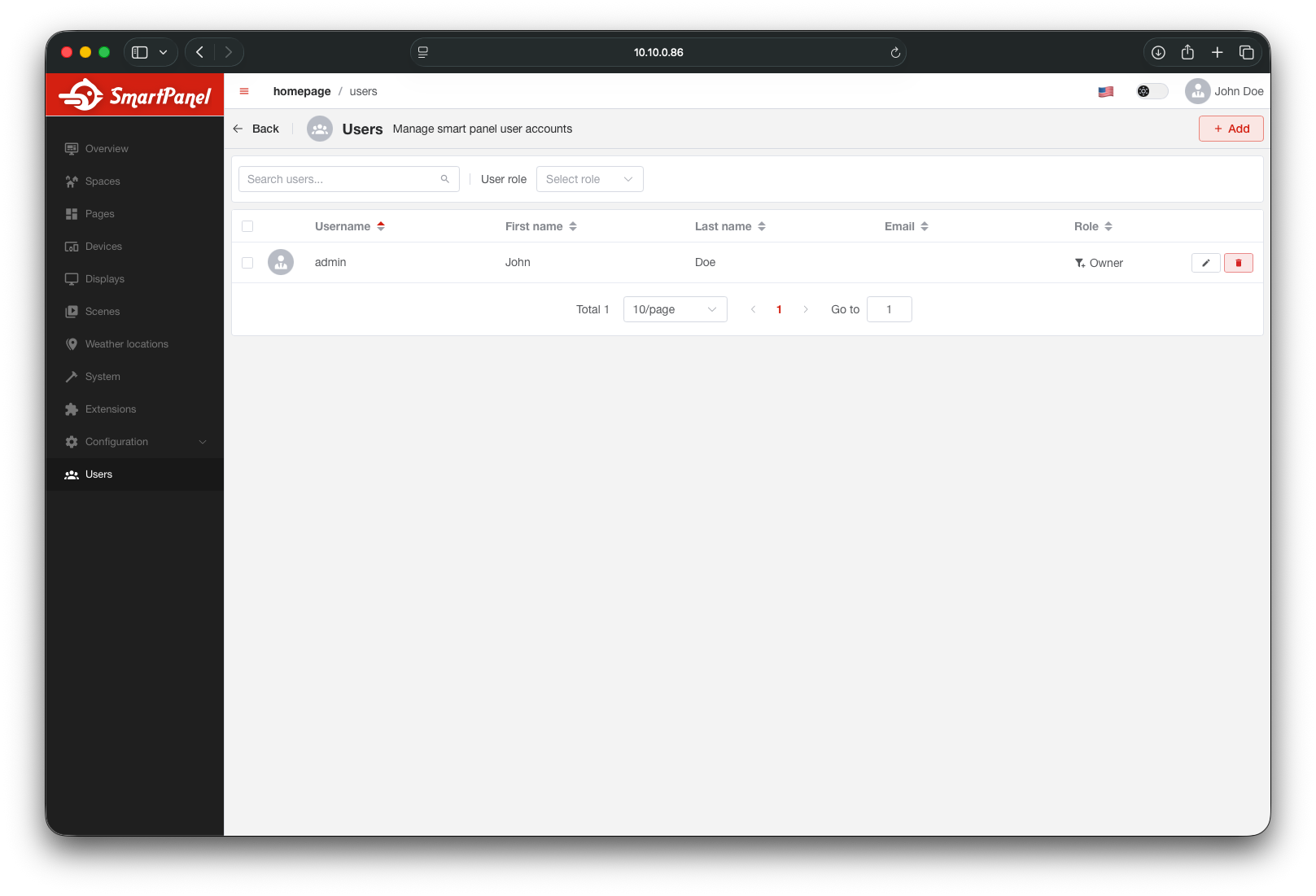
Adding a User
Click + Add User
In the Users section, click the add button to create a new user.
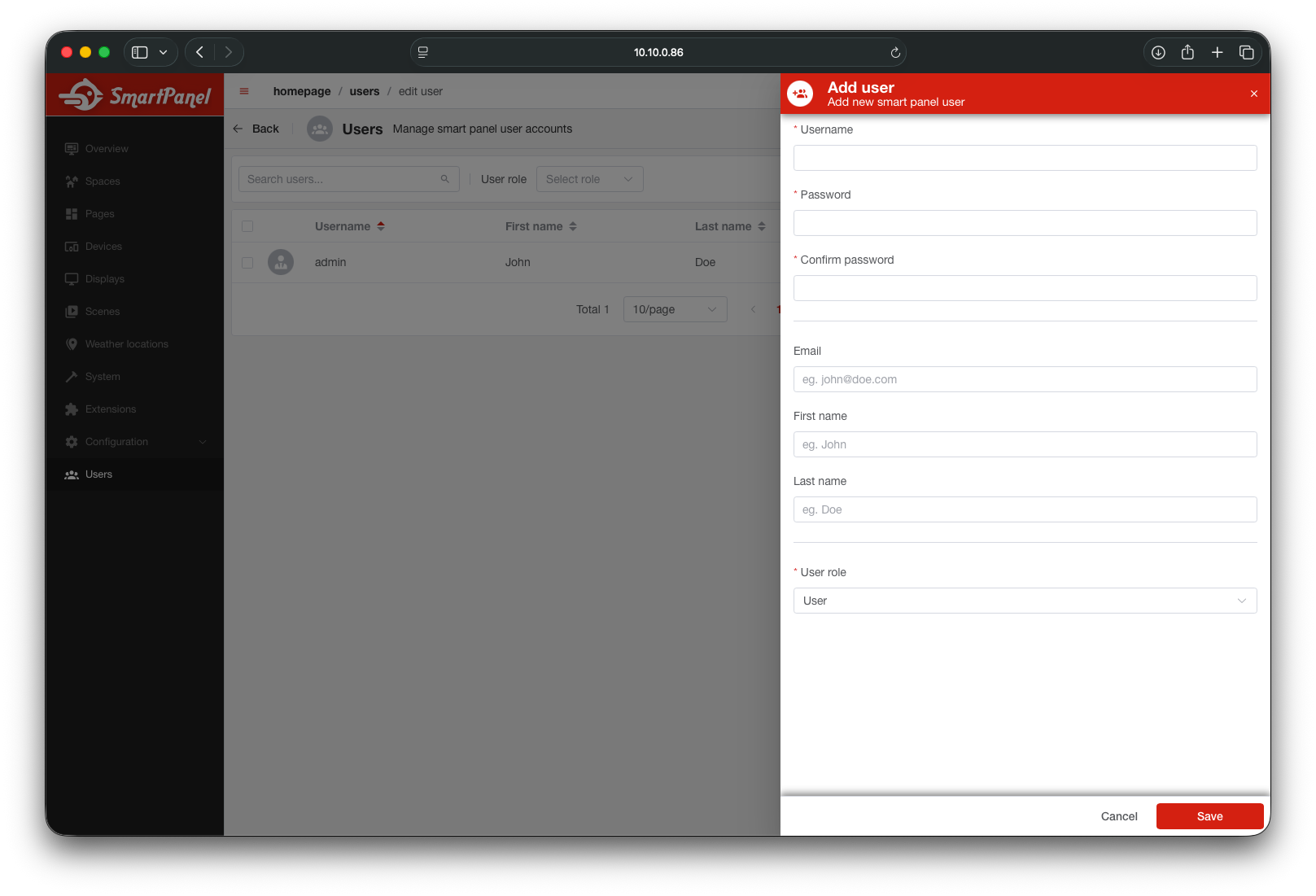
Fill in User Details
- Username — unique login name
- Password — a secure password (minimum 8 characters)
- Email (optional) — unique email address
- First name / Last name (optional) — display name
- Role — choose
AdminorUser
Usernames and emails must be unique. Attempting to create a user with a duplicate username or email will return a validation error.
What’s Next?
- Explore the API Reference for programmatic user management
Last updated on